
RockWorks | Borehole Manager | Map
Use the tools in the Borehole Manager | Map menu to create maps which illustrate the borehole locations with symbols, labels, projected logs, mini-logs, and contours (surface elevations or optional fields). You can also output borehole location maps to Google Earth.
Feature Level: RockWorks Basic or higher
| Borehole Location Maps Display borehole locations with symbols. Append many types of labels. Contour the ground surface elevations. |
 |
| Optional Field Maps Create contour maps of numeric data in the Optional location fields (production, etc.) |
 |
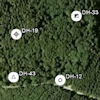
| Borehole Locations to Google Earth (Simple) Output a quick map of your borehole locations to Google Earth |
 |
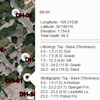
| Borehole Locations to Google Earth (Advanced) Output your borehole locations to Google Earth with more symbol and labelling options. |
 |
| Multi-Log Plan View Create a plan-view map of striplogs, projected onto a horizontal plane, to illustrate the locations of inclined/deviated drill-holes. |
 |
| Multi-Log Map Create a plan-view borehole location map, with mini-striplogs (with user-selected columns) next to the borehole symbols. |
 |
See also
 Back to Borehole Manager Summary
