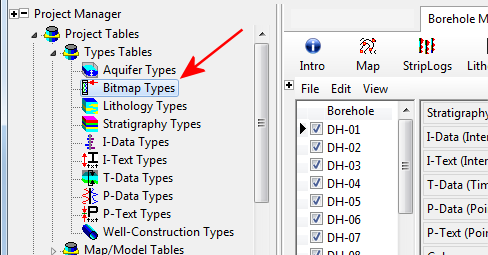
There are several ways to open the Bitmap Types Table in the current project database. For all, be sure that you've accessed your project folder, if necessary, by clicking on the Project Folder prompt.
- Expand the Project Tables | Types Tables heading in the Project Manager pane, along the left side of the program window.
- Double-click on the Bitmap Types item.
- Click on the Bitmaps data tab for any of the wells in the project.
- Click on the Bitmap Types button above the data table.

- Click on the Bitmaps data tab for any of the wells.
- Double-click in any of the Bitmap Typecells.

The program will display the Bitmap Types Table.

Edit the Table as necessary. (See Editing the Bitmap Types Table.)
 Back to Bitmap Types Table Overview
