In the program's startup screen, you'll see a button labeled Set up Licensing. Click on that button to get to the RockWorks licensing window.
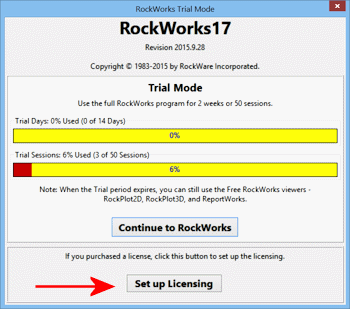
You'll see a list of License Types. Choose the type of license to be set up at this time. Click on a link below to jump to the discussion of how to set up that license type.
- RockWorks Single - Choose this if you purchased a Single license of the RockWorks program. Requires an unlocking code.
- RockWorks Time-Limited - Choose this if you purchased a time-limited license for the program. Requires an unlocking code.
- RockWorks Network - Select this option if you have purchased a network license for the RockWorks program. Requires logging in to the network license manager.
- RockWorks Trialware - If your Trial period has expired, you can choose this to enter an Extension Code to extend the Trial period.
- Remove License - Choose this to remove the licensing from the current computer, typically to transfer the license to a different computer.
When you've selected the license type and entered the required information, click the Change button to activate the license and proceed into the program.
Installing RockWorks | Licensing RockWorks | Starting Up RockWorks
See also: Changing the License Type, RockWorks Feature Levels

RockWare home page