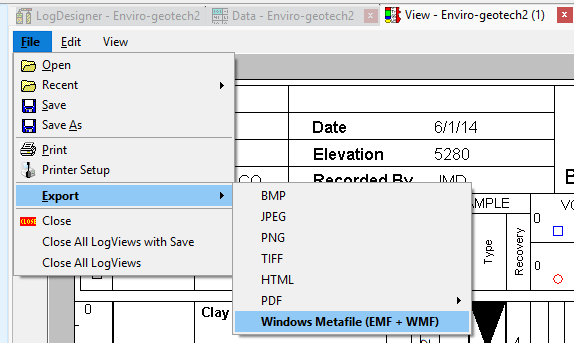
Use the LogView | File | Export to Windows Metafile menu option to export the current graphic log (LPT8 plot file) to EMF or WMF format.
- Create or open the LogPlot log (LPT8 file) that you wish to export.
- Select the File | Export to Windows Metafile, EMF or WMF menu option.
- Establish the requested settings.
- Output Filename: Click on the small browse button to the right of this prompt to enter the name for the metafile to be created.
- Choose which type of file you want to save, EMF or WMF
- Options: Use to select if you want a header or footer to show on the exported document, you can choose only one of each; file 1 or 2 that you created with the LogDesigner.
- Page Setup: Type in the numeric values for Pixels per Inch, Pattern Density Factor, Left/Right margin, and Top/Bottom Margin.
- Click OK.
LogPlot will export the log, as displayed, to a Windows Metafile and save it in the folder you selected for the output file. You will need to use a separate program to open and view the file.
 Back to LogView Introduction

RockWare home page