Menu Options
Step-by-Step Summary
Menu Options
- Frames per Second: Into this prompt, type the number of morph frames to be displayed per second in the AVI movie. For example, to display each frame for one second, you would type in "1". To display two frames over one second (1/2 second each) you would type in "2."
- Options
- Create AVI File: Choose this option if the program is to generate an AVI file of the morphed view.
- File name: Click on the button to enter the name to be assigned to the AVI file to be generated. The default file name extension is AVI.
- Play Animation: Check this box for the resulting AVI file to be loaded into the default player on your computer.
- Create Frames: Choose this option if the program is to export individual frames as BMP images for later assembly into an animation with other movie-making software applications.
! In RockWorks you can use the Utilities | Imagery | Picshow program to view the sequence of images, as well as export them to an animated GIF or AVI file.
- Output Folder: Browse for the folder where the BMP images are to be stored.
- Frame Prefix: The frame images will be numbered automatically and sequentially, as 0001.bmp, 0002.bmp, and so on. If you'd like any characters stored in front of the numbers, enter that here. For example, entry of a prefix of "plume" would generate file names "plume0001.bmp," "plume0002.bmp," etc.
- Pixel Format: Choose the color depth for the output frames. 24 bit color will generate better-looking images but larger files.
Step-by-Step Summary
- To save the morphed movie as an AVI file, click the Save AVI button
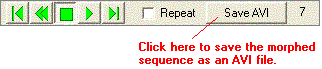
- Enter the requested information, described above.
- Click OK.
The program will run the morph sequence in background memory.
! The view will not re-render for the animation production - all you'll see on the screen is the lower status bar changing as the morphed views are generated.
! This process can be slow, depending on the length of the movie.
- Prior to saving the AVI file, the program will prompt you for the desired CODEC (COmpress/DECompress) technique to reduce the size of the resulting AVI.
- Which to choose? The most reliable option is to choose Uncompressed. However, the compression options can greatly help to reduce the output file size for large videos.
- The best CODEC to use may depend on your computer's setup - some may work better than others and some may not be supported at all. You can see a list of Video CODECs installed on your computer by starting Windows Media Player, choose Help / About, and click on the Technical Support Information link.
The completed movie will be stored under the requested AVI file name, or individual BMP frame names. If you've requested Autoplay, the movie will be loaded into your default video player.
The AVI file cannot be read into RockPlot3D. It can be viewed using Windows Media Player or other AVI-reading software program.
 Back to RockPlot3D Morphing Settings

RockWare home page