RockWorks | Utilities | File | Import | Excel
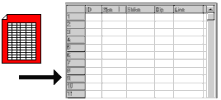
This program is used to import into the Utilities datasheet the entirety of a specified worksheet (.xls or .xlsx) created by the Microsoft Excel program. The imported rows and columns will be placed in the active RockWorks datasheet, starting at the row in which the cursor is currently placed. Once the data is displayed in RockWorks, you can modify the column names and types using the Columns | Column Properties command.
In order to use this import tool, you must have Microsoft Excel installed on your computer. The Excel program will be launched, and the selected file opened. The selected worksheet's data will be imported into the current RockWorks data sheet, starting at the current cursor location. The header of the datasheet will be modified to list the Excel column headings if you so requested. The Excel program will be closed automatically.
Menu Options
Step-by-Step Summary
Existing Excel File: Click here to browse for the name of the Excel file to be imported, in an ".xls" or ".xlsx" format. Note: Microsoft Excel must be installed on this machine in order for the OLE import to take place. Data will be added to the spreadsheet starting at the currently active row. This import will start on the first row of the Excel spreadsheet and stop when the first blank row of cells is encountered.
"Microsoft" and "Excel" are registered trademarks belonging to Microsoft Corporation. RockWare does not have any claim whatsoever to these trademarks, formats or other trade secrets that belong to Microsoft.
 Back to Importing Data
