RockWorks | Borehole Manager | File |
Export | Stratigraphy | Stratigraphy Data -> Hanson Aggregate Format
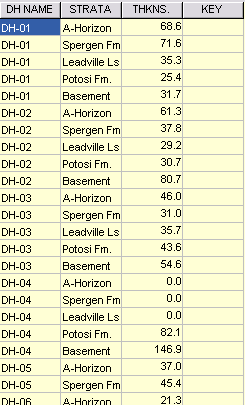
Tthis program exports stratigraphy thickness data for all enabled boreholes to the Utilities datasheet. The resulting listing will contain the borehole name, formation name, and the drilled thickness for that unit. (An additional "key" column is generated for use by other programs.)
Menu Options
Step-by-Step Summary
The program will read the stratigraphy data for all enabled boreholes, and create a listing in the Utilities datasheet with borehole name, formation name, and thickness.
 Back to Exporting Data
