Menu Options
Your LogPlot data files and log designs can contain multiple Fillbar columns used to plot generic patterns in a depth interval. This information can be imported into RockWorks Patterns tables.
- Click on the Configure Data Import’s Patterns tab.
The name(s) of the LogPlot Fillbar data tab(s) will be shown.
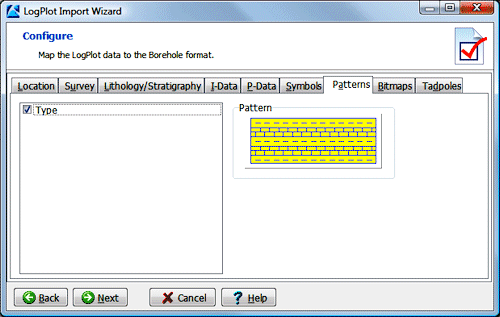
- Insert a check in the check-box for each fillbar to be imported. If you choose more than one, they will be merged into the single RockWorks Patterns table.
- Click the Next button to proceed to the next step.
 Prev ( set up symbols ) | Next ( set up bitmaps )
Back to main topic

RockWare home page