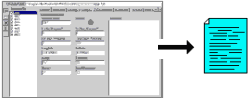
RockWorks | Borehole Manager | File |
Export | Multiple Tables | Text
This Borehole Manager program will export selected/all data tables for selected/all boreholes to a text file, each RockWorks data table a separate block within the output file. The format of any real numbers in the exported file (123,456,789.00 versus 123.456.789,00) will match the format you have defined in the Windows control panel.
Menu Options
Step-by-Step Summary
Menu Options
- Output Filename: Click on the open button to the right of this prompt to browse for the folder where the text file is to be created, and to enter the name for the exported file. It should have a "txt" file name extension.
- Edit/View Output File: Check this box if you want the output text file to be loaded into the RockWorks text viewer when the export is complete.
- Include Column Titles/Units: Insert a check here if you want to export a line at the top of each data block that lists the column titles, such as the example below. You can leave this un-checked to list the data only in the output file.
Bore Depth-1 Depth-2 Lithology
DH-7 0.00 5.00 Alluvium
DH-7 5.00 20.00 Anthracite
DH-7 20.00 75.00 Shale
- Borehole Data:
- Current borehole: Choose this option to export the data for the current borehole only.
- Enabled boreholes only: Click in this button if only the data in the activated (checked) boreholes are to be exported.
- All boreholes: Click in this button of all boreholes in the current project should be exported to the text file.
- Items to Include: Use the checkboxes to select which of the data tables, data types tables, and accessory tables in the current project database are to be exported. They can be activated/deactivated individually, or quickly using the selection buttons.
- Select All: Use this button to select all of the tables.
- De-select All: Use this button to de-select all of the tables.
- Select All Types: Use this button to quickly select all of the Types tables in the database (e.g. Stratigraphy Types, P-Data Types, etc.)
- De-select All Types: Use this button to de-select all of the Types tables.
- RCL: This button contains several drop-down options which you can use to save/load menu settings and (if you have RockWorks Level 5) to build RCL scripts.
- Show RCL: Choose this option to display the menu settings.
- Load from RCL: Select this option to browse for a list of menu settings for this export program which you've already saved.
- Save to RCL: Click on this option to save the current settings in an "RCL" file for later re-loading or (if you have RockWorks Level 5) to build RCL scripts.
- Other Project Data:
- Project Units System: Check this box to include in the export the project coordinate and unit system.
- Project Dimensions: Activate this option to include the Output (Model) Dimensions.
- Project Support Tables: Check this box to include the Map/Model Tables (such as color fill or polygon tables), Log/Section Tables (such as section or profile location tables), and Index Tables (such as line style or color index tables for legends).
- Include XYZ Computations: If you want to include the XYZ point for each downhole measurement (which RockWorks stores, in the background, in the database) be sure this box is checked. In the output file, point-based measurements (P-Data) will have three added columns, with the XYZ location for each downhole point. Interval-based measurements (lithology, I-Data, etc.) will have six added columns, with the XYZ location for the top and the XYZ location for the base.
Step-by-Step Summary
- Access the Borehole Manager if necessary, by clicking on the Borehole Manager tab along the top of the program window.
- Open the project to be exported, if necessary.
- Select the single borehole or enable the specific boreholes to be exported if you won't be exporting for all.
- Choose the File | Export | Multiple Tables | Text menu option.
- Enter the requested menu options, listed above.
- Click the Process button to continue.
The program will create a single text file with separate data blocks, for the selected holes and data types.
! This output file has the same format as that required for importing text data into the Borehole Manager database; see the links below for formatting information.
See also
 Back to Exporting Data

RockWare home page