The Location Fields tab will look like this:

- While the Block Mapper tab was used to map blocks of data in the import file to tables in the database, this tab is used to map location columns to fields within the Location table in the database.
Note the following:
-
- Column from Input File: Listed in this column, to the left, are the column headings in the Location block of the text file that you are importing.
- RW Database Field: Listed in this column are the fields in the current project's Location table.
- If the import fields are named according to the format defined in the File Format section, the importer will recognize them and list their related data field automatically.
- If the import column headings are not recognized, you will need to manually select the associated database field name using the drop-down list.
- If you want to remove an association between the text file field and the database (you don't want to import that data to that field), click on the RW Database Field name. A pop-up window will appear. Choose the blank line, at the top of the listing, and that will blank out that cell.
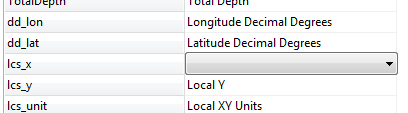
- To add or change an association between a text file field and a database field, click on the existing database field name, and choose another from the pop-up list.
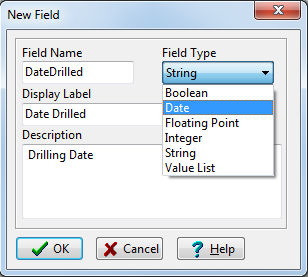
- To create a new field in the database, simply click on the <new field> item in the pop-up list and type in the name for the new Location table field. During the import process, RockWorks will add this field to the project's data dictionaries.
- Borehole Overwrite Options: Use the settings to the right to specify what should happen if the text file references the same borehole names as already exist in the current project folder.
- Skip Existing Record: If a borehole ID exists in the RockWorks database, the importer will skip all import records with the same borehole ID.
For example, if there is already a borehole named "BH-01" in the project, the importer will not import any new data flagged for a "BH-01" boring, and the original borehole data will remain unchanged.
- Create New Record: If a borehole ID exists in the RockWorks database, the importer will create a new borehole record (with a new name, appending "_1") for all import records you've mapped for import that have the same borehole ID.
For example, if there is already a borehole named "BH-01" in the project, and you're importing data for a borehole named "BH-01," the program will create a new borehole record named "BH-01_1" and import the data into that new record, leaving the original borehole record unchanged.
- Replace Existing Record: If a borehole ID exists in the RockWorks database, the importer will delete all existing data for that borehole and replace it with the import records you've mapped for import with the same borehole ID.
For example, if there is already a borehole named "BH-01" in the project, the importer will delete all data for that borehole from the database, and then import the mapped ASCII data for BH-01. The original borehole record will be completely replaced.
! Be sure about this. All existing data for existing boreholes will be lost.
! You can activate Warn on Existing Record (the check-box below these options) to have the program display a confirmation dialog box for each existing borehole, so that you can choose to replace, update, skip, or create a new record, on a borehole-by-borehole basis.
- Update Existing Record: If a borehole ID exists in the RockWorks database, the importer will not delete that borehole's data before import. Instead it will add new data types from the import file to the borehole. Any existing data types in the borehole will be replaced.
Example: There is already a borehole named "BH-01" in the project, with Location and Lithology data. You map only Stratigraphy data for import, and this new data type is appended to the project.
! However, if you map Lithology data for import as well, then the existing Lithology data for that borehole will be replaced with the new. You cannot append to an existing data type.
! For I-Data, T-Data, and P-Data, an "existing" data type refers to specific tracks, so that you can import new track names to an existing table. For example, if your import file lists "Gamma" measurements in the Point (P-Data) block, the update process will add those measurements to an existing borehole's P-Data table that contains only "Resistivity" data.
-
- Confused? Please refer to the "Goals" topic for more specific examples of replacing and appending data.
- Warn on Existing Record: If activated, this option will force the importer to display a warning when it finds boreholes in the ASCII file that already exist in the database. The warning window will offer the same overwrite options as discussed above, on a borehole-by-borehole basis.
 Prev ( establish coordinates ) | Next ( import the data )

RockWare home page