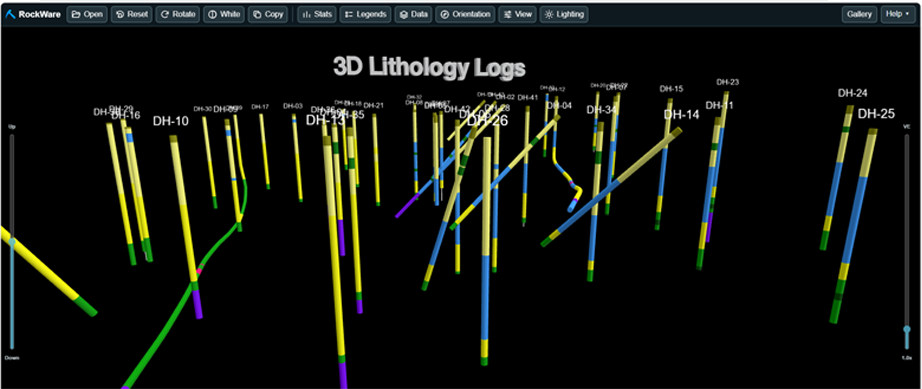
RockPlot3D | File | Export | HTML
RockPlot3D includes options to export an “HTML” file through a RockPlot3D button and through the File | Export sub-menu. When either of these options are selected, a dialog will appear that determines how the currently displayed 3D diagram will be converted to a HyperText Markup Language File (HTML) and what will be done with it after the conversion.
- Output File: Enter the name of the file to be created.
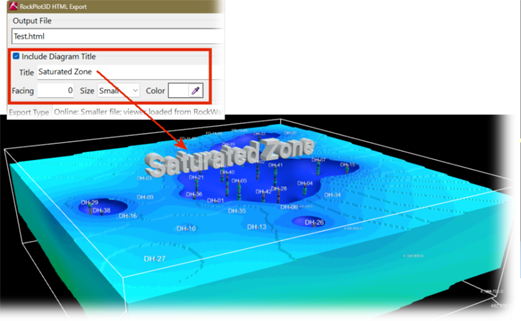
- Include Diagram Title: Check this option on and enter a Title if you’d like an optional 3D label to be centered above the top of the diagram. The direction that the label will be facing can be controlled as well as the size and color of the label.

- Export Type determines how the HTML file is constructed.
- The Online option compresses the current Rw3D diagram and embeds it in an HTML wrapper. When the HTML file is opened, it loads the RockPlot3D Web Viewer from the RockWare website and decompresses the embedded diagram locally. An internet connection is required to load the viewer.
- The Embedded option compresses the current Rw3D diagram and packages it with the complete RockPlot3D Web Viewer in a single HTML file. When opened, the file decompresses and displays the diagram locally. No internet connection is required.

- Email To:
- Enable this if you would like the program to create the HTML export and then open a new message in the computer’s default desktop email program with the HTML file attached. RockWorks does not send the message automatically; the user can review, edit, and send it from the email program.
- Emailing is entirely optional. If the checkbox is selected but the address is left blank, the email program opens the message without a recipient so one can be entered there.
- Potential limitations include:
- The computer must have a desktop email program that supports Windows Simple MAPI. Browser-only webmail may not work.
- Embedded HTML exports may be too large for some email systems.
- Some organizations block or quarantine HTML attachments for security reasons.
- Recipients of an Online export need internet access to load the RockPlot3D viewer. Embedded exports work offline.
- If RockWorks cannot open the email message, the HTML file is still created and can be attached manually.
- If the size of the HTML file exceeds the limit of your email program, a file transfer service such as DropBox or SwissTransfer may be used instead to send the output file.
Try the RockPlot3D Web Viewer: Demo
Check out the Web Viewer Gallery: Examples.

RockWare home page